AeroSports
Game Engine (.NET Console Runtime)
Realtime .NET runtime that launches game variants, manages controller communication, executes game logic, and coordinates restart flow with the kiosk system.
Variants
30+ game variants
Rooms
8 game rooms
Runtime
.NET console runtime
Communication
Socket + controller network
Latency
5-10ms optimized sensor paths
Tech Stack Overview
Grouped by the primary systems, languages, and infrastructure used in this build.
Frameworks
.NET Framework 4.7.2
Libraries
NAudio, log4net, System.Net.Http
Languages
C#
Hardware
Game light sensors, Controllers
Supporting Systems
Kiosk Host, Game Controllers & Sensor Network
AeroSports
Game Engine (.NET Console Runtime)
Realtime .NET runtime that launches game variants, manages controller communication, executes game logic, and coordinates restart flow with the kiosk system.
Variants
30+ game variants
Rooms
8 game rooms
Runtime
.NET console runtime
Communication
Socket + controller network
Latency
5-10ms optimized sensor paths
Tech Stack Overview
Grouped by the systems, languages, and supporting layers used in this project.
- Frameworks
- .NET Framework 4.7.2
- Libraries
- NAudio, log4net, System.Net.Http
- Languages
- C#
- Hardware
- Game light sensors, Controllers
Connects game logic to room-level sensors, targets, and control devices.
- Supporting Systems
Overview
The Game Engine is a .NET console application launched by the Kiosk Host with the runtime arguments required to run a session.
These arguments include:
- selected game variant
- player information
- game room information
- whether the run is test or production
- other room or hardware-specific runtime settings
The engine is responsible for:
- executing the game logic
- managing controller communication
- coordinating external device behavior
- returning realtime game state back to the kiosk system
It acts as the runtime core of each room.
Architecture
The engine sits between the kiosk host and the physical controller layer, turning controller events into gameplay state and streaming runtime status back to the room system.
Engine Workflow
The general runtime flow is handled by Program.cs and BaseGame.cs.
Step 1
Launch flow
- The engine is launched by the Kiosk Host
- Runtime arguments are read and stored
- The correct game variant class is selected
- The variant initializes the correct communication handler
BaseGamebegins the shared gameplay lifecycle
Step 2
Initialization
Before gameplay begins, the communication handler verifies:
- controller connectivity
- available lights and sensors
- other room-specific hardware information
If validation succeeds:
- the intro voice line is played
- the game starts with the correct:
- level setup
- lifelines
- timer
- variant-specific parameters
Step 3
Shutdown / restart flow
When the game ends:
- communication handlers are disposed
- game threads are stopped
- sensors and lights are turned off
Then:
- if Players Waiting from the kiosk is false, the engine allows a restart flow
- players are given 10 seconds to press the restart button
- if restart is pressed, the game starts again
- if restart is not pressed, the program ends and the console application exits
Game Logic Structure
The runtime is divided into three major layers:
1. Game Logic
This contains the gameplay rules and progression system.
At the core is:
BaseGame-> shared logic for all games- abstract game classes -> intermediate behavior for categories of rooms
- room/game-specific classes -> concrete implementations of variants
Game logic is organized by:
- game rooms
- variants inside each room
This structure allowed shared systems while still supporting unique gameplay behavior for each room.
2. Communication Handlers
Communication handlers are responsible for controller/device communication.
Their role is to:
- establish the communication pipeline
- decode controller protocol messages
- translate protocol-level signals into engine-level functions
- expose usable actions/events to the game logic layer
Most handlers were built around:
- USR-N540 (4-port controllers)
- USR-N510 (1-port controllers)
These worked using RS422 -> Ethernet communication.
Some games also used:
- custom Arduino-based controllers
3. External Device Control
The engine also coordinates room-specific external devices as part of gameplay flow, depending on the variant and room.
Interface Evolution
At the beginning, the Game Engine was integrated directly into the Kiosk Host because only two rooms existed.
At that stage:
- there were only 2 game rooms
- each room had:
- 2 team variants
- 1 competitive variant
As the facility expanded, it became obvious that both the kiosk and the runtime logic would grow into large independent systems.
So the engine was separated into its own application.
Early phase
During testing, rooms could break 1020 times per day, often due to multithreading and runtime synchronization issues.
- constant experimentation with game logic and game flow
- frequent bugs
- unstable runtime behavior
- heavy iteration with staff and test players
During testing, rooms could break 10-20 times per day, often due to multithreading and runtime synchronization issues.
Stabilization phase
Over time we: Once the first two rooms became stable and the public response was positive, the facility expanded. That expansion changed the scale...
Challenges
1. Learning IoT devices and runtime game development
At the beginning, I was not experienced with: I had to learn by building: The more I built, the more progress I made, and the more interesting the...
At the beginning, I was not experienced with:
- IoT devices
- controller protocols
- realtime game runtime engineering
I had to learn by building:
- researching device behavior
- understanding communication requirements
- iterating on game logic
- improving systems with each new room and controller type
The more I built, the more progress I made, and the more interesting the work became.
2. Designing efficient custom controller protocols
A major challenge came when working on the Laser game. The setup included: Initially, data was sent using stringbased messages made of "0" and "1"...
3. Multithreading and runtime synchronization
To run properly, the engine depends on many concurrent processes such as: At key events like: all of these threads needed to stay synchronized. Ear...
My Contribution
I was one of the main contributors to the runtime foundation of the Game Engine.
My work included:
- researching controller protocols
- building the base structure for the game logic
- designing and improving communication handlers
- working with different devices and room types
- implementing new game variants
- stabilizing runtime behavior across multiple rooms
In the early stage, I spent a lot of time building the base architecture that later made scaling possible.
Once that base became stable:
- I continued building new variants
- improved device handling
- refined the communication systems
- helped expand the engine for many more room types
As the project grew, we expanded the team. At that point, I also:
- trained new hires
- supervised their work
- helped guide improvements to the shared base code
Tech Used
Core technologies
 .NET
.NET C#
C# Arduino
Supporting technologies
Related Projects
Other projects from the same platform and codebase.
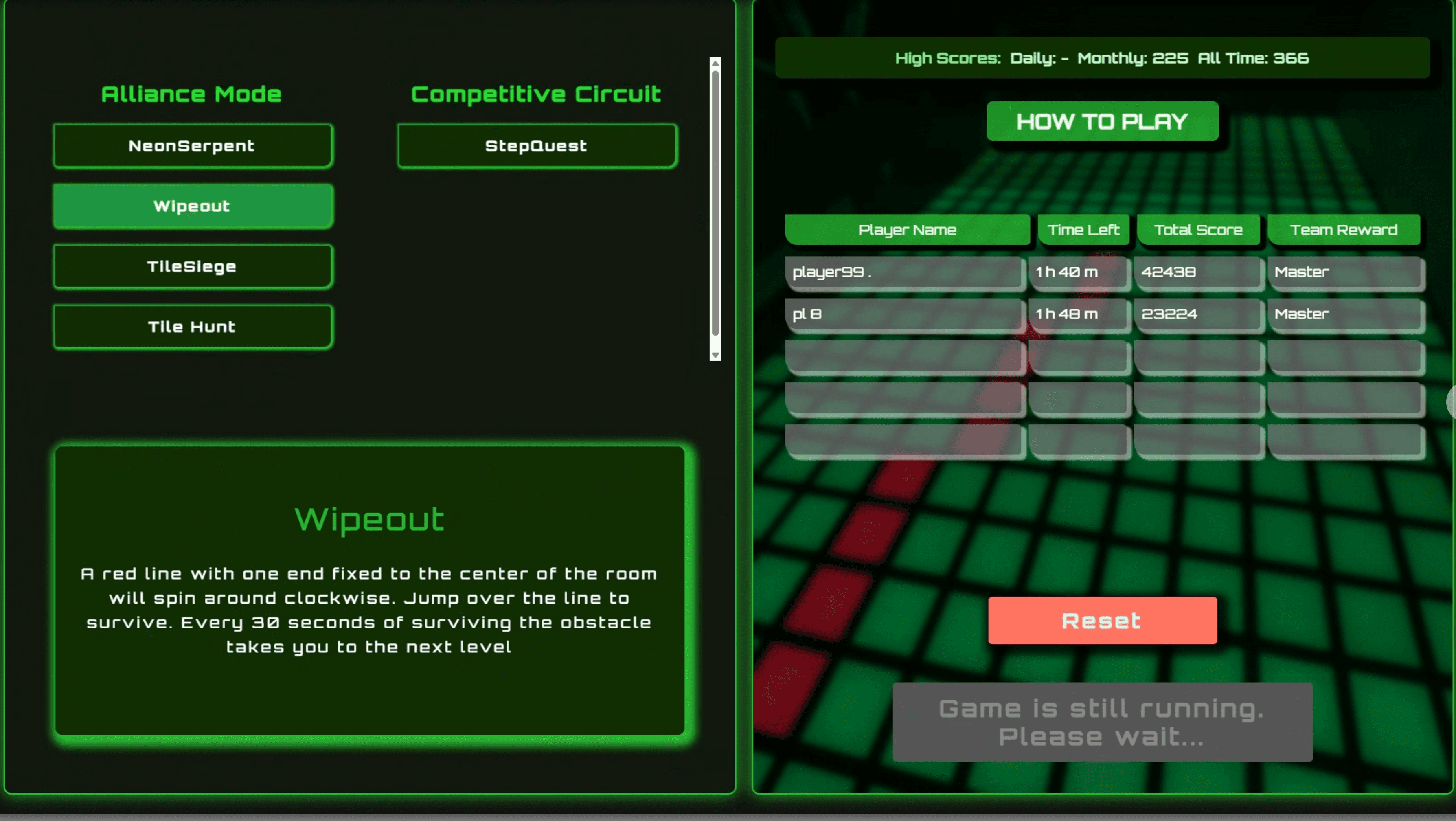
Kiosk Host & Room Control (.NET WebView)

WinForms orchestration layer between the Kiosk UI, Scorecard UI, Game Engine, backend API, and room hardware.
WCPUS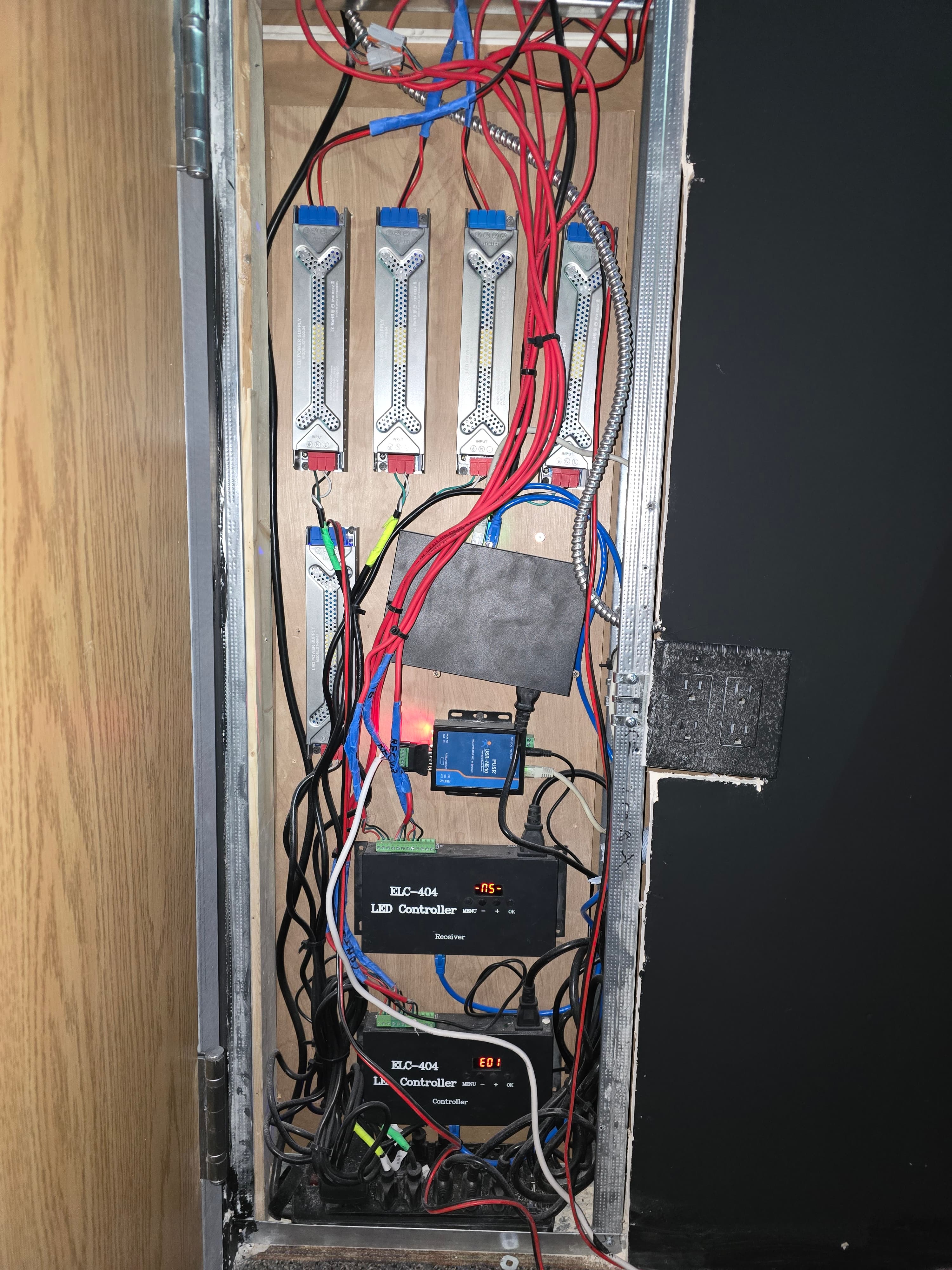
Room Devices & Common Room Infrastructure
Shared room-level device and communication infrastructure for displays, audio, wristband scanning, restart controls, door locks, and controller connectivity across interactive game rooms.
 CPE+2
CPE+2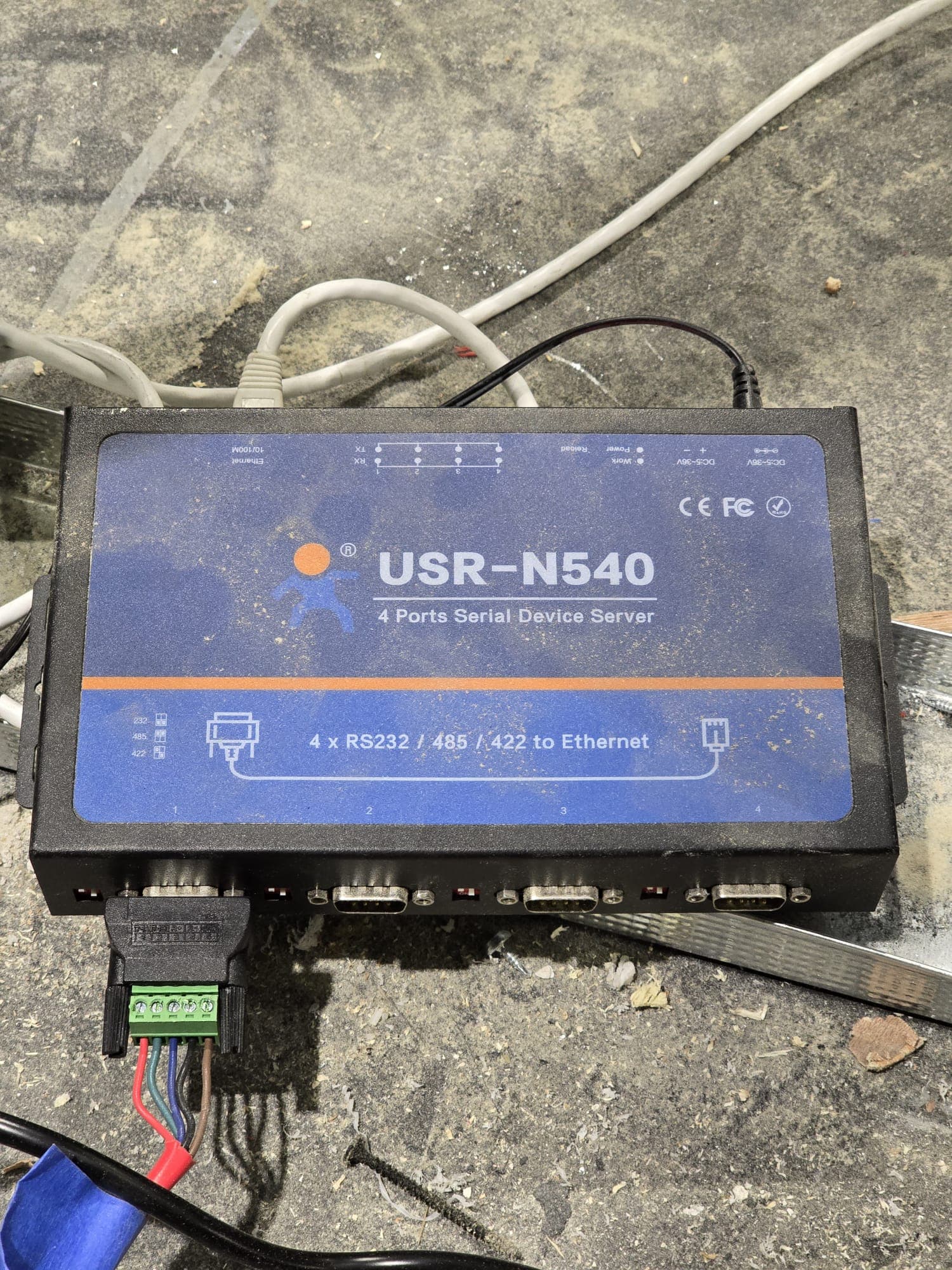
Game Controllers & Sensor Network
Realtime controller and sensor network powering gameplay interactions across rooms, from USR RS422-over-Ethernet systems to custom Arduino and ESP-based controller stacks.
 SREE+2